
September 4, 2026

In This Article
Whether you are checking a contractor before signing a contract, verifying a potential business partner, confirming your tattoo studio is properly listed, or simply checking whether a business name is available before filing — the NC Secretary of State business search is the fastest and most reliable way to access official North Carolina business registration records. This complete guide explains everything clearly: what the tool shows, how to use every search type, how to read results, and what the information means in practice.
The North Carolina Secretary of State business search — accessible through the official state portal at sosnc.gov — is a public database containing the official registration records of every business entity that has filed with the state of North Carolina. This includes LLCs, corporations, nonprofits, limited partnerships, limited liability partnerships, professional corporations, and other entity types.
Think of it as the state’s official business directory — not a marketing listing, not a review platform, but a government record of which businesses exist as legal entities in North Carolina, when they were formed, and what their current standing with the state is. The information comes directly from filings submitted to the Secretary of State’s office, which means it is as authoritative as public business information gets.
In 2026, with more business transactions happening online and more people working with companies they have never physically visited, checking a business’s official registration status before committing to a deal is one of the simplest and most effective due diligence steps available.
The NC Secretary of State business search serves a wide range of users — most of whom are not lawyers or government employees. Here is who uses it most frequently and what they are looking for:
Verifying a contractor, cleaner, or service provider before paying a deposit. A quick status check confirms whether the company is properly registered in North Carolina before you hand over money or invite someone into your home.
Vendor verification before entering contracts. Many procurement policies require confirmation that suppliers are registered entities in good standing. The NC SOS search provides this verification instantly and at no cost.
Checking that a business is properly registered before providing capital or credit. Status, formation date, and filing history all provide relevant context for investment due diligence.
Checking whether a desired business name is already in use before filing. Searching the database early saves the frustration of completing paperwork only to discover the name is unavailable or too close to an existing registration.
Verifying entity details, registered agent information, and filing history for legal, contractual, or compliance purposes. The tool provides direct access to official records without requiring a formal records request.
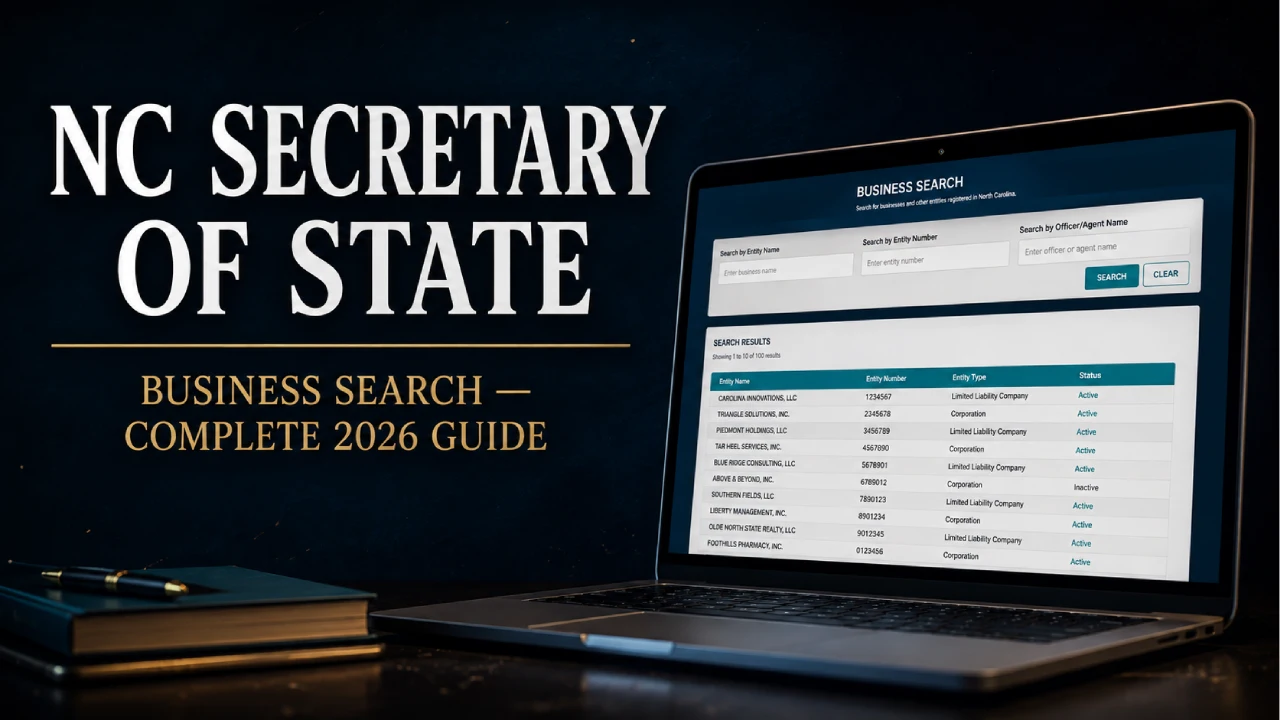
Navigate to sosnc.gov and select “Business Registration” from the online services menu. No account creation is required for public searches. The search page loads with several input options.
Select whether you are searching by business name, SOSID number, registered agent, or officer name. Business name is the most common starting point. If you have the SOSID from a previous search or a business document, use that for a faster and more precise result.
Type the business name as accurately as you can. The search is not case-sensitive. Choose the word matching option that fits your situation — “All words,” “Any words,” or “Exact” — then submit. If your search returns no results, try removing words, checking spelling, or using a broader option.
A table of matching businesses appears showing name, SOSID, entity type, and status. If multiple results appear, compare the entity types and statuses to find the correct business. Click the business name or the expand icon to open the full record.
The expanded record shows the full business profile: legal name, SOSID, entity type, citizenship, status, date formed, registered agent name and address, principal office address, and links to filings. This is the core information you need for verification purposes.
The NC Secretary of State business search offers several ways to find a business depending on what information you already have:
| Search Type | When to Use It | Best For |
| Business Name | You know the company name but not its ID | Most general lookups and name availability checks |
| SOSID Number | You have the state ID from a document or previous search | Pinpoint lookups — fastest and most precise |
| Registered Agent | You know the agent name but not the company name | Finding all businesses linked to a specific agent |
| Officer / Owner Name | You know a person’s name connected to the business | Finding all businesses associated with an individual |
| UCC Search | Researching loans, liens, or secured interests | Deep financial due diligence on a business or individual |
Once your search returns results, knowing what each field means helps you make sense of the record quickly:
| Field | What It Means |
| Legal Name | The official registered name — may differ from the trading or brand name |
| SOSID | Unique state-assigned ID number for this business entity |
| Entity Type | The legal structure — LLC, Corporation, Nonprofit, LP, LLP, PC, etc. |
| Status | Current standing — Active, Dissolved, Suspended, Withdrawn, etc. |
| Date Formed | When the business was officially registered with the state |
| Citizenship | Whether the business was formed in NC (Domestic) or another state (Foreign) |
| Registered Agent | The person or company designated to receive legal documents on behalf of the business |
| Registered Office Address | The official address on file — not always the business’s operating location |
| Principal Office Address | The business’s main operating location if different from the registered office |
The status field is often the single most important piece of information in a business record. Here is what each status means in practice:
The business is currently registered and in good standing with the state. All required filings and annual reports are up to date. This is the status you want to see when verifying a business you plan to work with.
The business has not filed a required annual report or has another compliance issue with the state. A suspended business is still on record but is not in good standing. This is a yellow flag — the business may still be operating, but its legal standing with the state has lapsed. Ask questions before proceeding.
The business has been formally closed — either voluntarily by its owners or involuntarily by the state. A dissolved business is no longer a legal operating entity. If a company claims to be active but shows as dissolved, that is a significant red flag.
A foreign business (formed in another state) that has formally withdrawn its registration to operate in North Carolina. Similar in effect to dissolved for NC operational purposes.
The business has merged into another entity or converted to a different entity type. The original record remains accessible but the business may now operate under a different name or structure.
Beyond the basic business profile, the NC Secretary of State system allows you to access the actual filing documents submitted by the business. These provide a deeper view of the company’s history and legal structure.
From the detailed business record, look for a “View Filings” link or button. This opens a chronological list of all documents filed with the Secretary of State for that entity. Common filings include:
Many of these filings are available as downloadable PDF documents — you can view the actual submitted paperwork rather than just a summary. This is particularly useful when a business has a complex history of changes or when you need documentary evidence for a contract or legal matter.
One of the most common reasons people use the NC Secretary of State business search is to check whether a business name is available before filing. Here is how to do this correctly and what the results actually mean:
Use the “Exact” matching option to search for your intended name precisely as you plan to file it. If no results appear, that specific name has not been registered. That is a positive sign, but not a final confirmation of availability.
North Carolina law prohibits registering a business name that is too similar to an existing registration. Search using “All words” or “Any words” to find businesses with names that might be considered confusingly similar. If similar names exist, your filing may be rejected or you may need to modify your name.
North Carolina requires specific endings depending on entity type. LLCs must include “LLC,” “L.L.C.,” “Limited Liability Company,” or similar designators. Corporations must include “Inc.,” “Corp.,” “Incorporated,” or similar. Professional entities have additional naming rules.
The entity type shown in search results tells you how the business is structured legally. Here are the most common types you will encounter:
| Entity Type | Full Name | Common For |
| LLC | Limited Liability Company | Small businesses, freelancers, studios — most flexible and most popular structure |
| Corp / Inc | Corporation | Larger businesses, those seeking outside investment or public trading |
| NP | Nonprofit Corporation | Charities, foundations, community organisations |
| LP | Limited Partnership | Investment partnerships, real estate ventures |
| LLP | Limited Liability Partnership | Professional service firms — law, accounting, architecture |
| PC | Professional Corporation | Licensed professionals — doctors, dentists, lawyers |
| PLLC | Professional Limited Liability Company | Licensed professionals who prefer the LLC structure |
For tattoo artists and studio owners based in or planning to operate in North Carolina, the NC Secretary of State business search is directly relevant to your business setup — and using it properly from the beginning saves significant time and potential complications later.
North Carolina tattoo studios most commonly register as either a sole proprietorship DBA (assumed name filed with the county), an LLC, or — for larger operations — a Corporation. Of these, the LLC is by far the most popular structure for independent tattoo artists and small studios because it provides personal liability protection without the administrative complexity of a corporation.
Before filing your LLC with the NC Secretary of State, use the business name search to:
Beyond the Secretary of State registration, tattoo studios in North Carolina must also comply with state health department licensing requirements for body art establishments — these are administered separately from the Secretary of State’s office. Always confirm both your business registration status and your body art establishment permit are current and in good standing.
Once your studio is registered and operating, the business side requires ongoing attention too — from studio management software to marketing. Our guide to the best tattoo studio management software in 2026 covers the operational tools that help studios run efficiently. And if you are thinking about the online visibility side of your studio business, our overview of how SEO works for health-adjacent service businesses covers the same principles that apply to tattoo studio local search visibility.
The tool is authoritative for what it covers — but understanding its limits helps you know when to look further:
How do I do an NC Secretary of State business search?
Go to sosnc.gov, navigate to Online Services, and select Business Registration. From there, choose your search type (business name, SOSID, registered agent, or officer), enter your search term, and submit. Results appear as a list of matching entities. Click any result to expand the full business record including status, formation date, registered agent, and filing history. No account is required for basic public searches.
What does “Active” status mean in the NC business search?
Active status means the business entity is currently registered with North Carolina and has met its annual filing requirements. It is in good standing with the Secretary of State’s office. This is the status you want to see when verifying a business you plan to work with, though Active status does not confirm the business’s reputation, financial health, or professional licensing.
Is the NC Secretary of State business search free?
Yes. The basic public business search at sosnc.gov is completely free and requires no account or login. You can search by business name, SOSID, registered agent, or officer name, view full business records, and access filing documents at no cost. Some services — such as ordering certified copies of filings — carry a fee, but the standard search and record viewing is free.
How do I check if a business name is available in North Carolina?
Search the NC Secretary of State business name database for the name you want to use. First use the Exact match option to check for an identical name. Then use All words to search for similar names that might be considered confusingly close to your intended name. If no active businesses share or closely resemble your name, it is likely available — though you should also follow NC’s specific naming rules for your entity type and consider a separate USPTO trademark search if you plan to build significant brand value around the name.
What is an SOSID number in NC?
SOSID stands for Secretary of State Identification number. It is a unique number assigned by the NC Secretary of State to each registered business entity. Every LLC, corporation, nonprofit, and other registered entity in North Carolina has one. If you have the SOSID, you can use it to search for a business directly and get an exact result without sorting through multiple similar names.
Can I look up who owns a business in the NC Secretary of State search?
Partially. The registered agent information is always visible in the public record, and the officer or member search option allows you to search for businesses associated with a specific individual’s name. However, North Carolina LLCs are not required to list their members publicly on the annual report, so complete ownership information may not always be visible in the public database. The original Articles of Organization or amendments may contain more detail on initial members or organizers.
Do I need to register my tattoo studio with the NC Secretary of State?
If you are operating as a sole proprietor under your own name with no LLC or corporate structure, you may not need to file with the Secretary of State — though you may need a county-level assumed name (DBA) filing if you use a business name different from your own. If you want personal liability protection through an LLC or corporation structure, you must register with the Secretary of State. All tattoo studios must also separately obtain a body art establishment permit from the North Carolina Department of Health and Human Services — this is a separate requirement from the business entity registration.
Note: This article is for informational purposes only and does not constitute legal advice. Business registration requirements and procedures may change. Always verify current requirements directly with the NC Secretary of State’s office at sosnc.gov. For tattoo aftercare guides and healing resources, visit tattoogleam.com.
TattooGleam Editorial Team
Tattoo aftercare experts · tattoogleam.com